Configuration and connection to Squid 7.1 Proxy Server for Ubuntu Server 24.04 LTS
To work, TCP port 3128 must be open in the Inbound rules of the Secure group. You can find it in the personal account of Amazon.
To connect to the Server, you should generate a “Private Key” in advance. This can be done using the following instructions (by choosing the “file format:” option “.ppk” in point 3) Guide – How To – Create and use Key Pair to connect to a VM
- Connecting to the VM using the PuTTY application. You can download it at the following link – Download
- Go to the section SSH on the left panel, and then to Auth
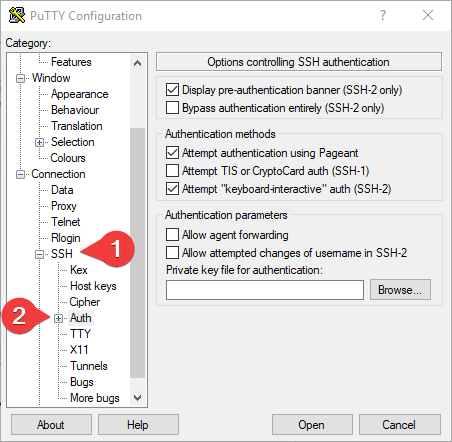
- In the “Auth” section, click “Browse” and specify the path to the .ppk file you received earlier.
- Go to the home page of “Session”, enter the IP address of the VM, and click “Open”.
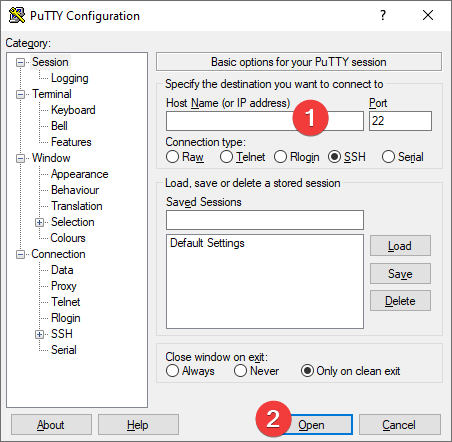
- In the opened console, you will need to enter the login ubuntu
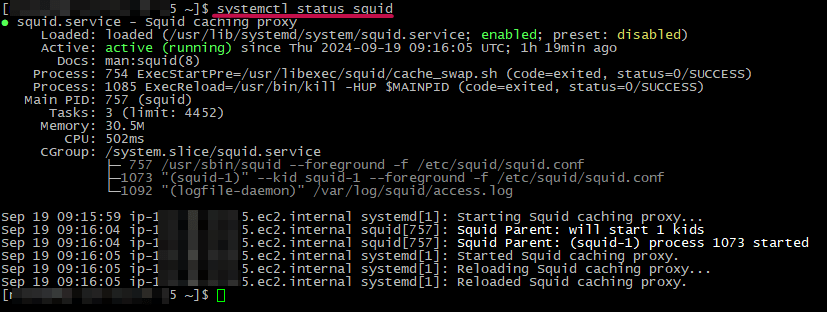
- You can check the status of the Squid service using the command:
systemctl status squid
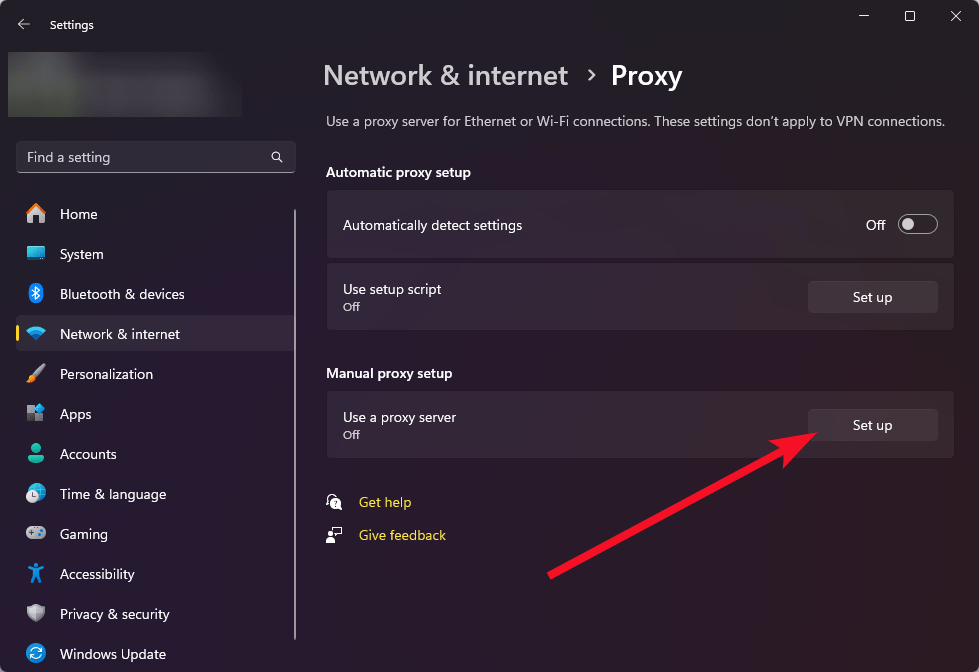
- To use the proxy server through the built-in Windows tools, open Settings > Network & Internet> Proxy
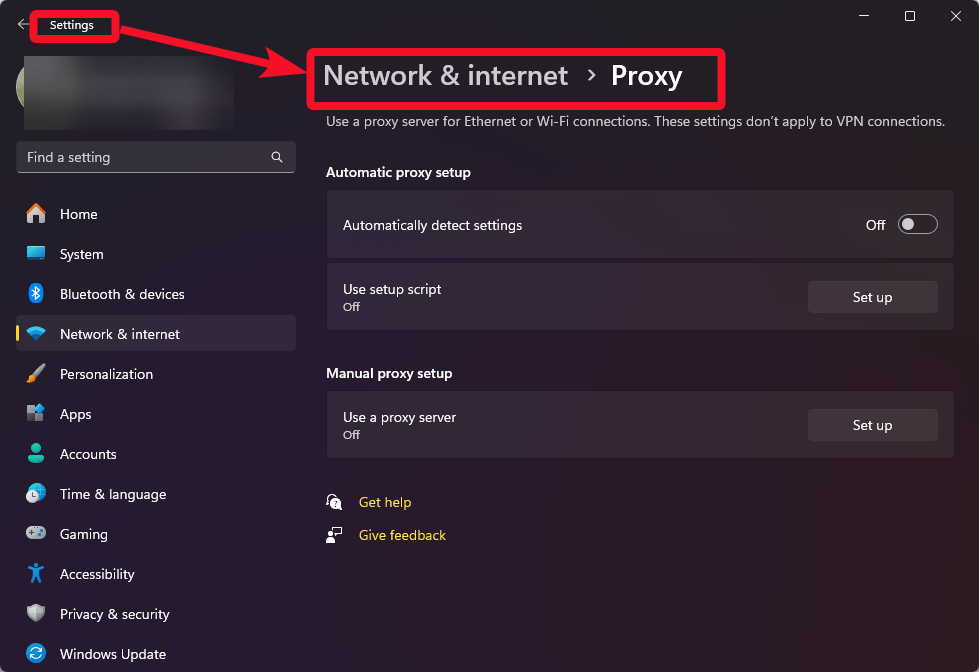
- Click Set up in the Manual proxy setup section
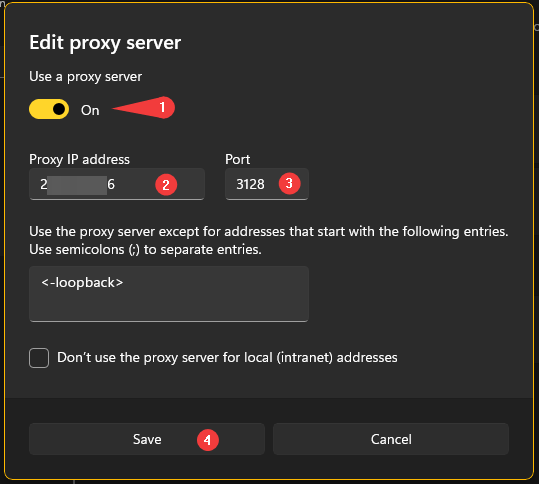
- Turn on the Use proxy server (1), enter the IP address of your VM in the Proxy IP address field (2), and in the Port field specify 3128 (3). Then click the Save button (4)
- To check the connection to the proxy server, open the MyIP.com website in any browser and check if your IP address has changed.
Check out the following links for further documentation and support for Squid Easy
SquidFaq – Squid Web Proxy Wiki
 Tidal Media Inc. — Software for Windows & Cloud Solutions