Connecting to MariaDB 15.1 on Ubuntu 24.04 LTS
Before starting, the following components should be installed:
- To connect to the database, you should generate a Private Key in advance. This can be done using the following instructions (by choosing the file format: option “.ppk” in point 3). Guide – How To – Create and use Key Pair to connect to a VM
- Run HeidiSQL. In the lower left corner, click on the New button to create a new session.

- In the Network Type field, select the MariaDB or MySQL (SSH Tunnel)
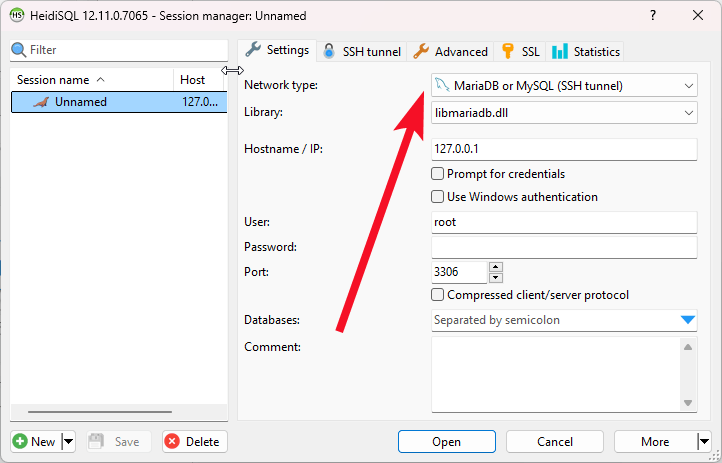
Leave Hostname / IP, User, Password, and Port fields with no changes
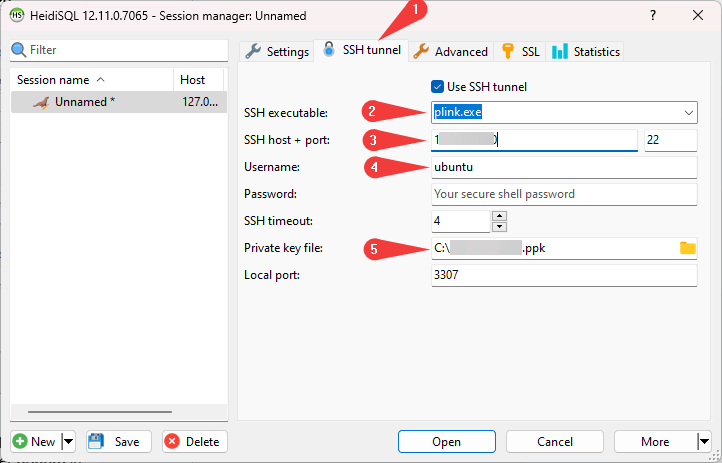
- Go to the appeared SSH tunnel tab (1), select the plink.exe in the SSH executable field (2), enter the address of the virtual machine in the SSH host field (3), enter ubuntu in the Username field (4), in the Private Key file field, specify the path to the key that was created in step 1 (5)
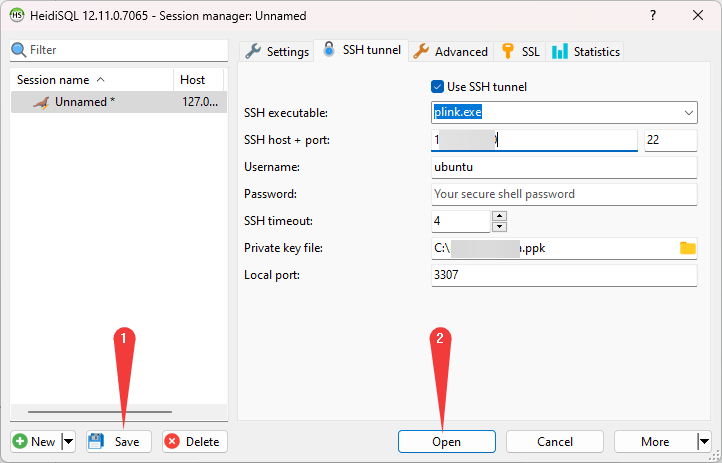
- Click Save (1) and then click Open (2) to connect to DBMS
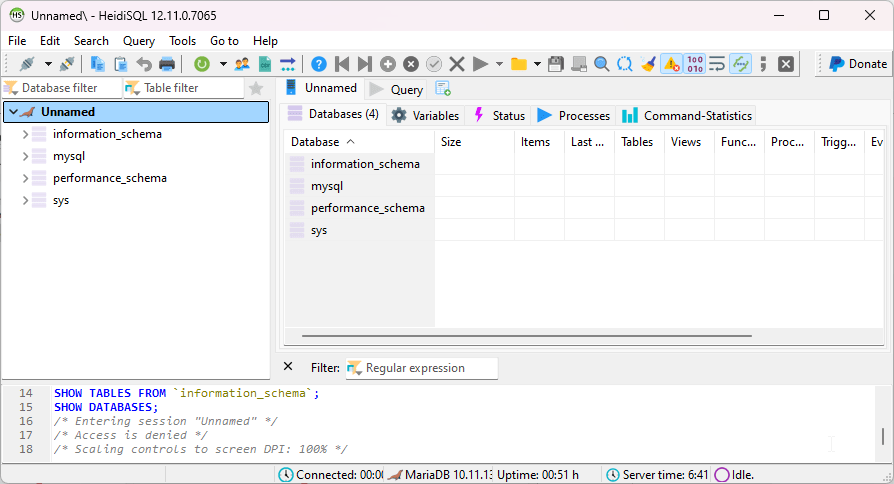
- Congratulations! You have successfully connected to the DB server.
 Tidal Media Inc. — Software for Windows & Cloud Solutions