Settings and connection to Counter- Strike 2 Server on CentOS Stream 9
Start your VM
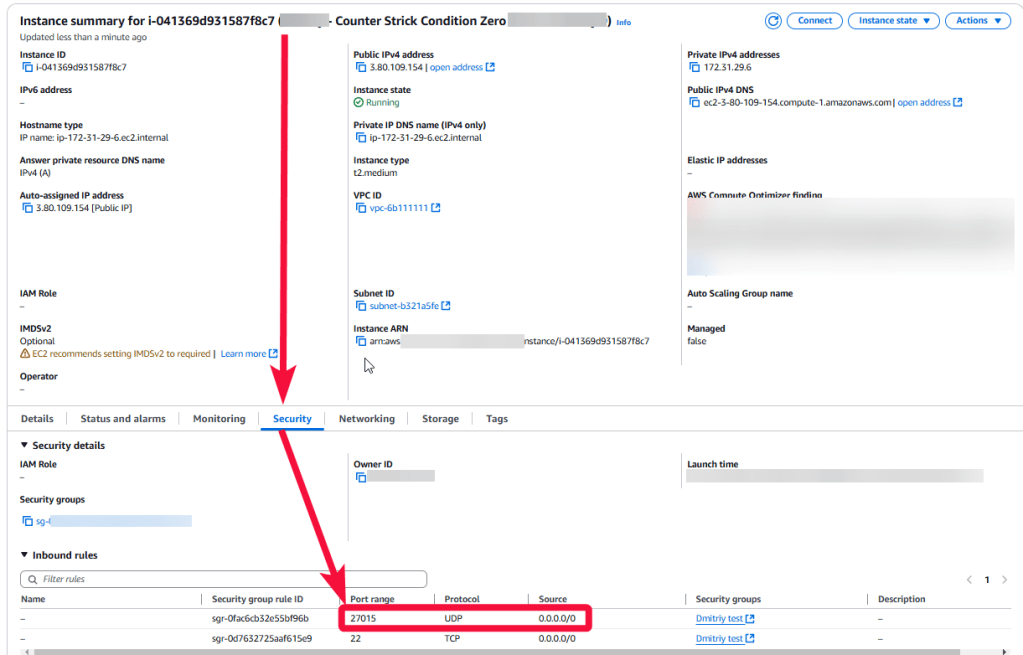
For the VM to work correctly, you need to open UDP port 27015 in the instance Security group.
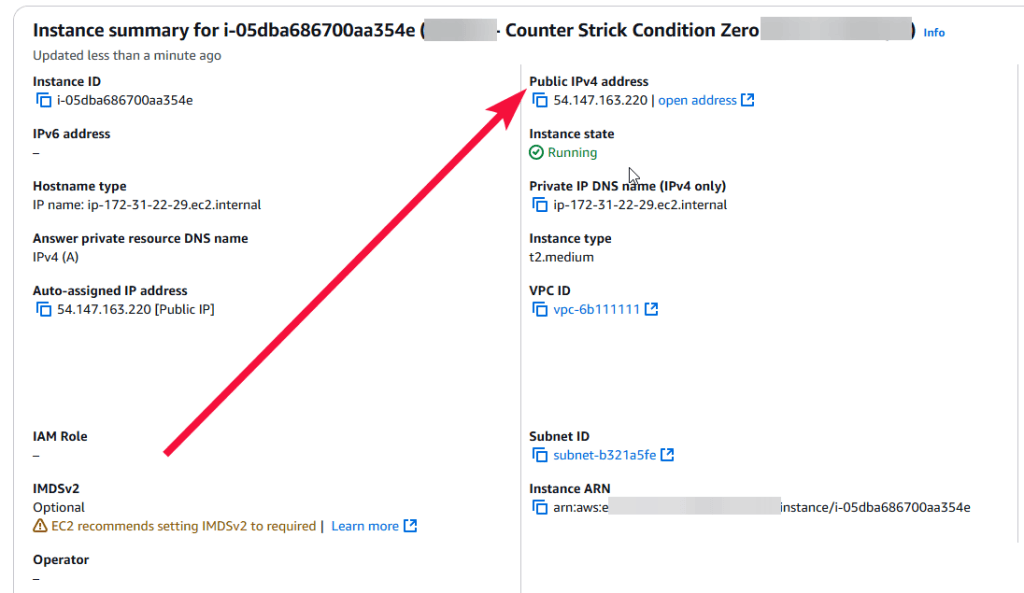
For the connection to the server, you should know the IP address of the VM.
Get Token
- To display the server in the browser list inside the game, you should add a GSLT Token to the config file. To create a token, go to the next page under your Steam account: https://steamcommunity.com/dev/managegameservers.
- Enter 740 in the app ID field, enter the text to further identify the token in the Memo field, then click “Create”.
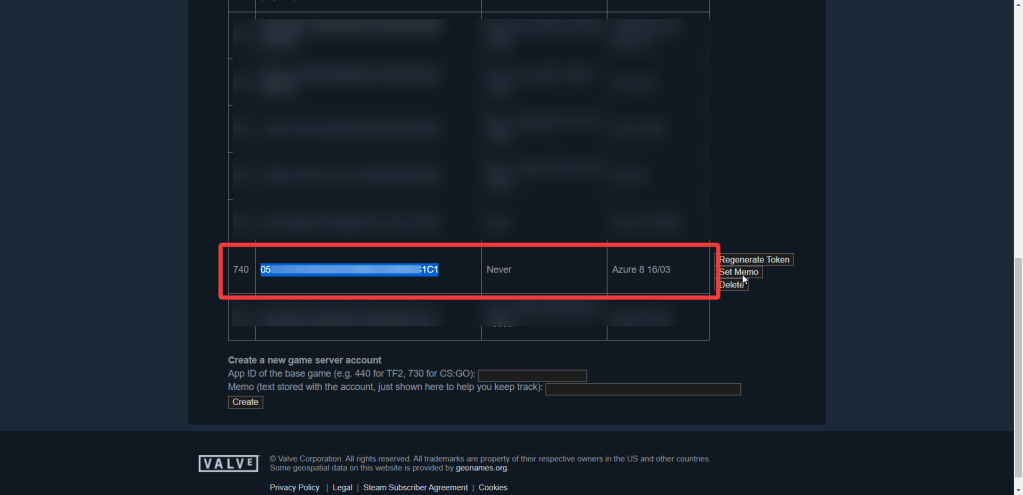
Copy the received token.
Configure the server
To manage the server manually, you should connect to a VM.
- To get the password, you should connect to the VM. To do that, generate a “Private Key” in advance. This can be done using the following instructions: Guide – How To – Create and use Key Pair to connect to a VM. You need to use the .pem file from step 4 of the guide.
- Get a random admin password.
- To get the password, you should connect to the VM. To do that, generate a “Private Key” in advance. This can be done using the following instructions (by choosing the “file format:” option “.ppk” in point 3): Guide – How To – Create and use Key Pair to connect to a VM
- Download and run PuTTY
- Go to the “SSH” section in the left panel (1) and then to “Auth” (2).
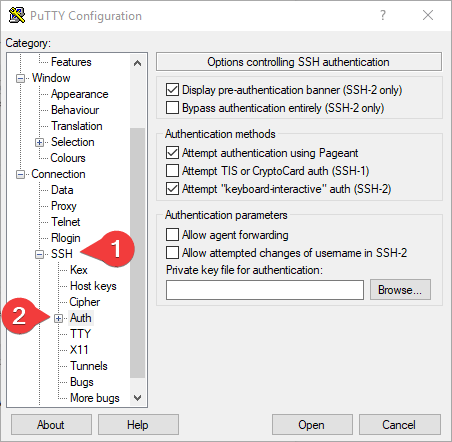
In the “Auth” section, click “Browse” and specify the path to the .ppk file you received earlier.
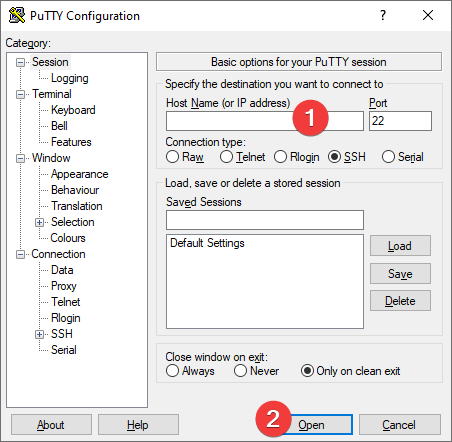
- Go to the home page of “Session”, enter the IP address of the VM (1), and click “Open” (2).
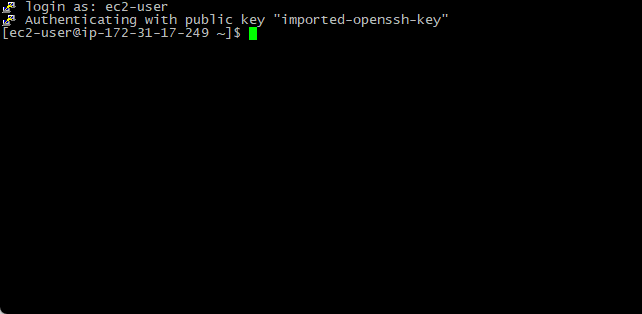
- In the opened console, you will need to enter the login ec2-user
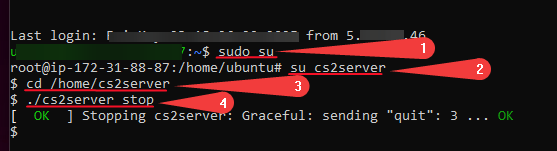
- Enter the following commands:
> sudo su (1)
> su cs2server (2)
> cd /home/cs2server (3)
> ./cs2server stop (4)
- Open configuration file:
> vi /home/cs2server/lgsm/config-lgsm/cs2server/cs2server.cfg
- Press i on the keyboard to edit. Add the parameter to the end of the file gslt=”Token” and paste the generated token from section 2 in quotes. To go to the desired line, use the arrows on the keyboard. To paste the copied text, use the right mouse button.
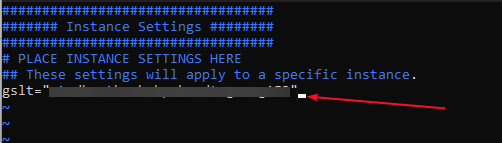
Press:wq and Enter on the keyboard to exit the file.
- Now you should start the server using the following commands:
> ./cs2server start
To manage the server, you can use the commands described in the primary usage tab on the page Deploy Counter-Strike 2 Game Servers
Connect to your server
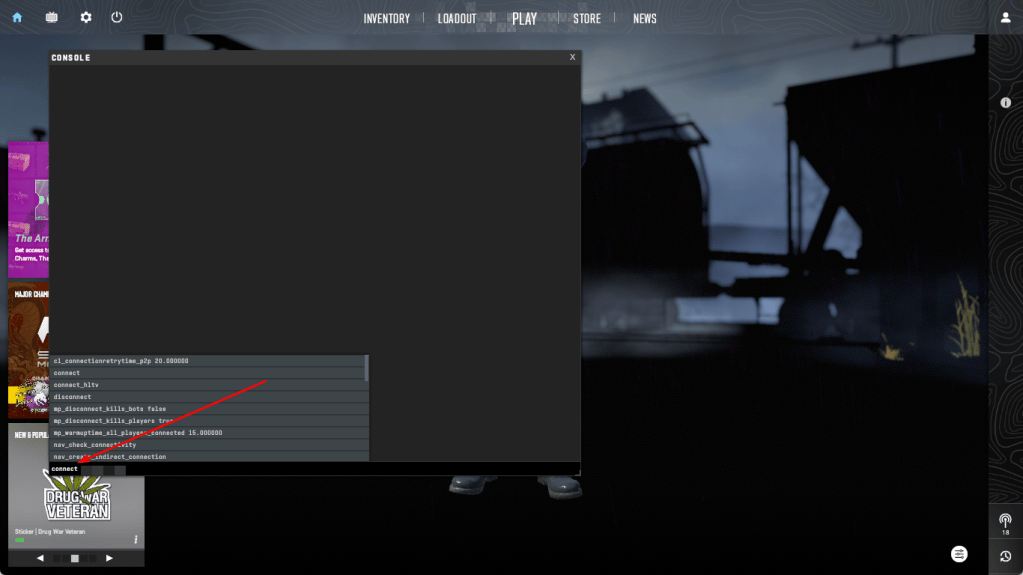
To connect to the server, launch the “Counter-Strike 2” game on your PC, open the console by pressing “`”, type “connect VM’s IP”, and click Submit.
Let’s go! Hold your positions.

