Configuration and Connection Wiki.js – Wiki Engine Server on Ubuntu 22.04 LTS
- To work, you should open TCP ports 80 and 443 in the network properties in the Azure firewall.
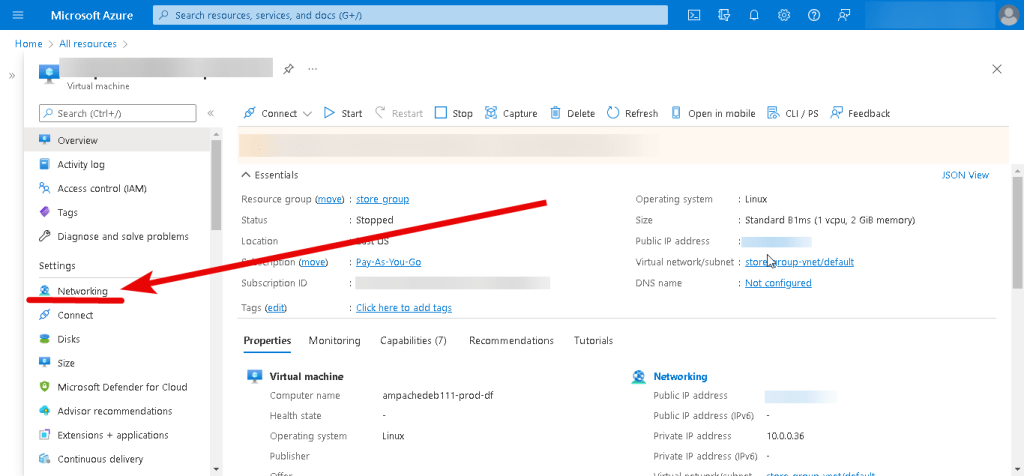
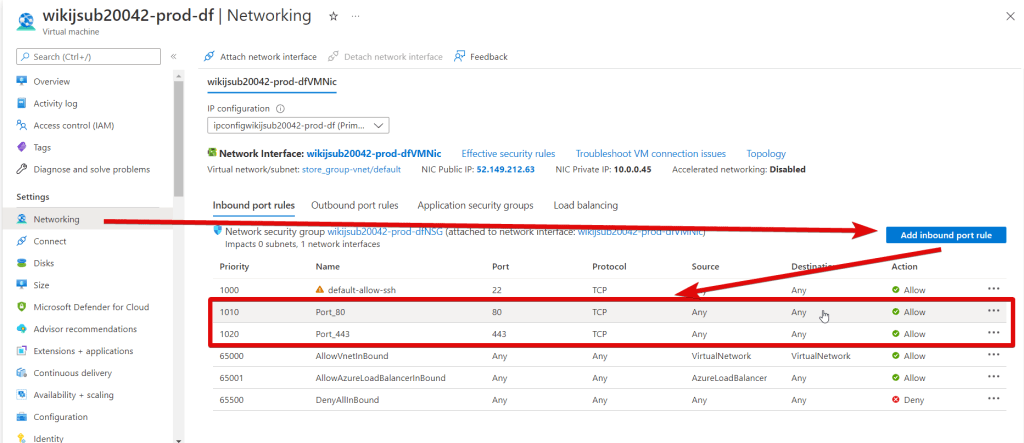
- Run the VM through the Azure Portal. To customize the Wiki.js server, first, you need to create a Wiki.js DNS name. Click the link
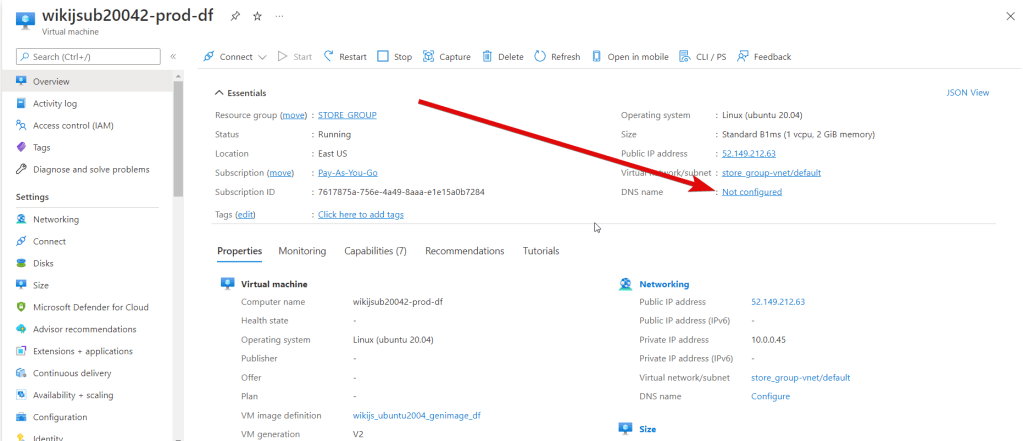
- Here you can create a new domain name or use an existing one.
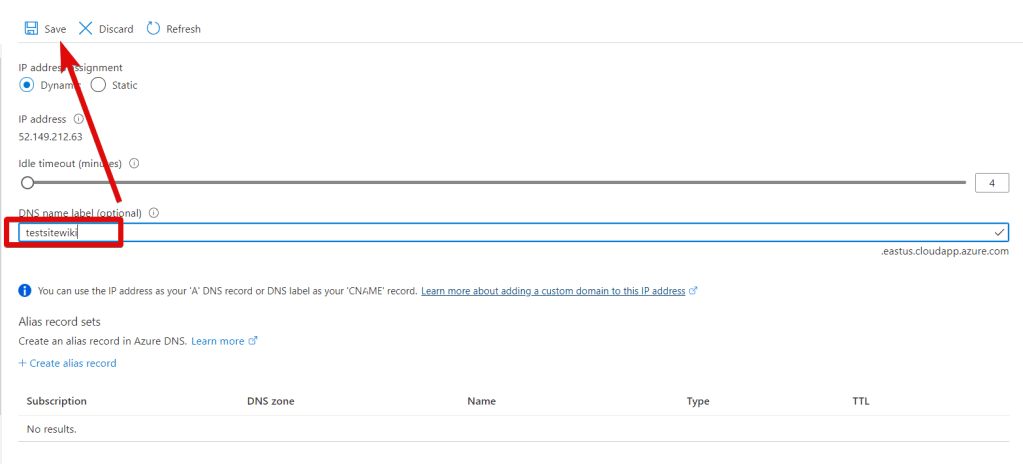
- Now the VM has a DNS name that is displayed in the ‘Overview’ tab.
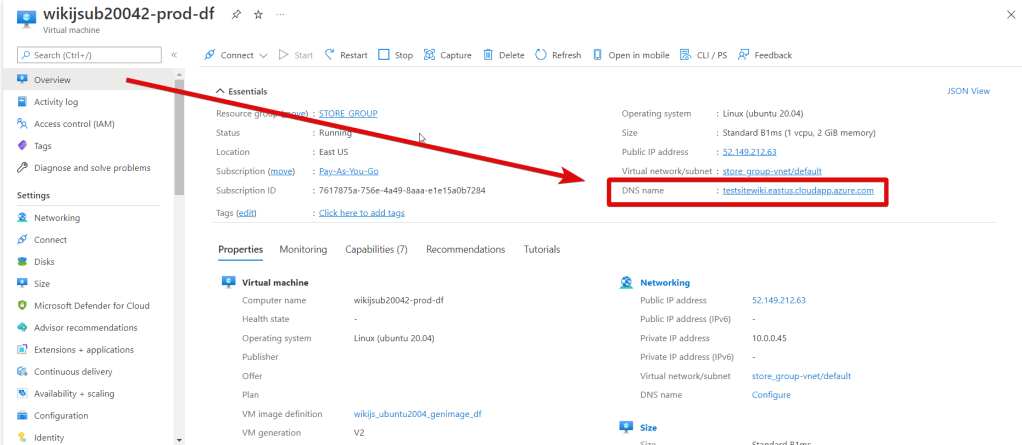
- After starting the VM, you can go to the main page using the created DNS name – http://”your_DNS_name”
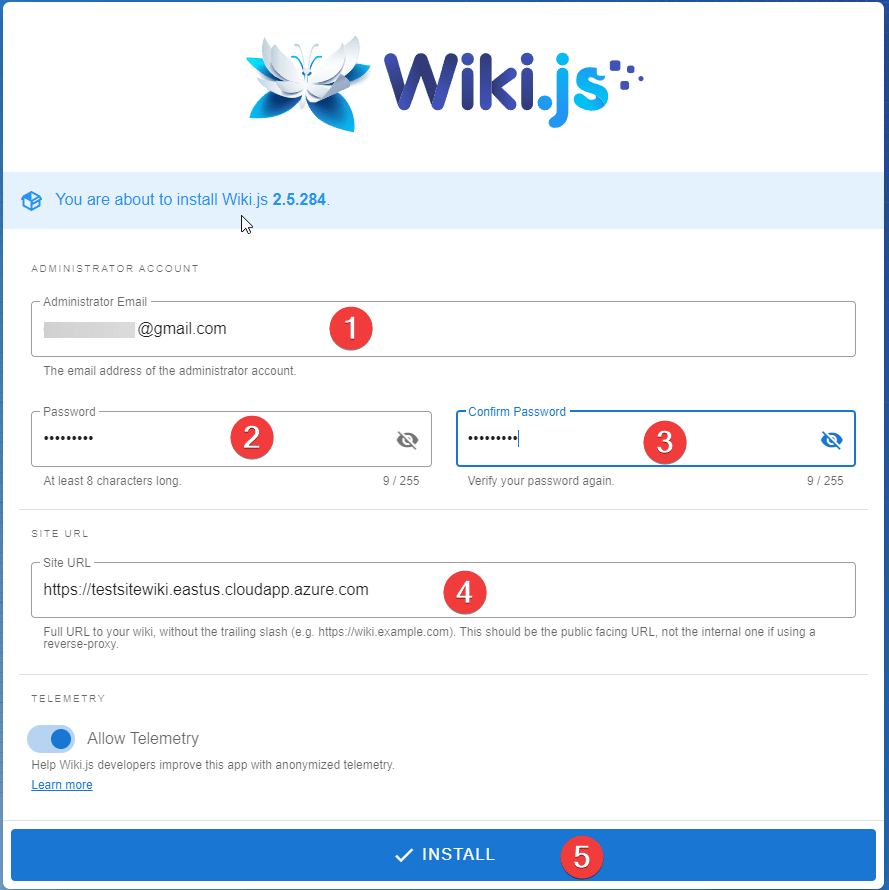
- The authorization page will open. Enter your email (1), password (2), and its confirmation (3), your VM DNS name (4), and click ‘Install’ (5)
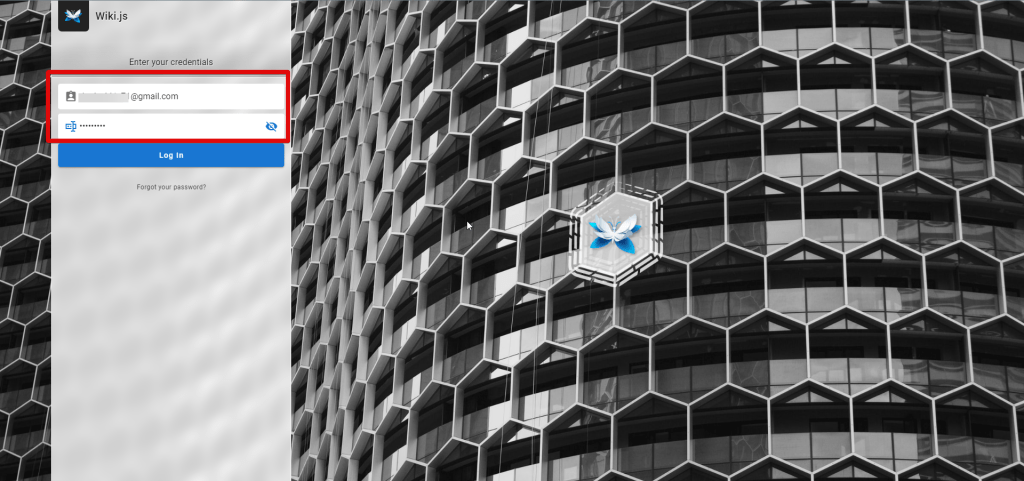
- Then log in as Wiki.js administrator using new credentials.
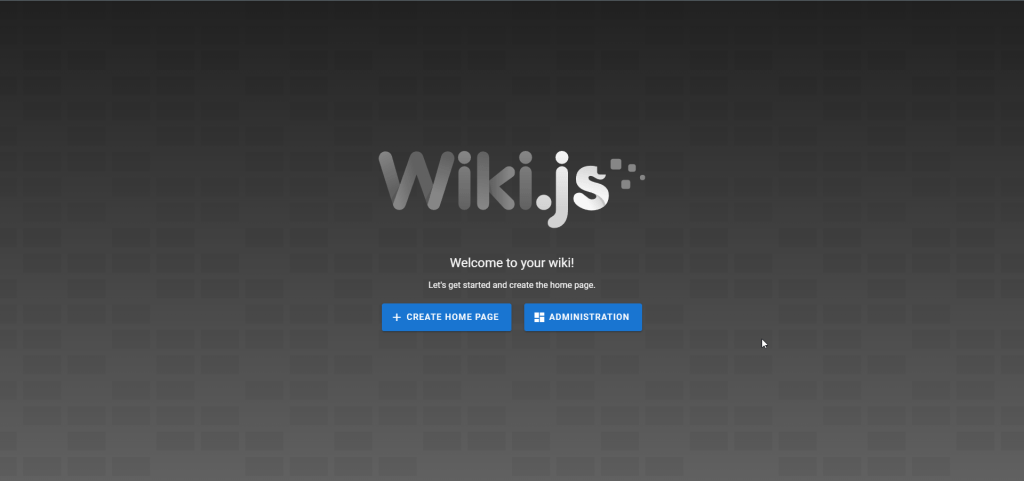
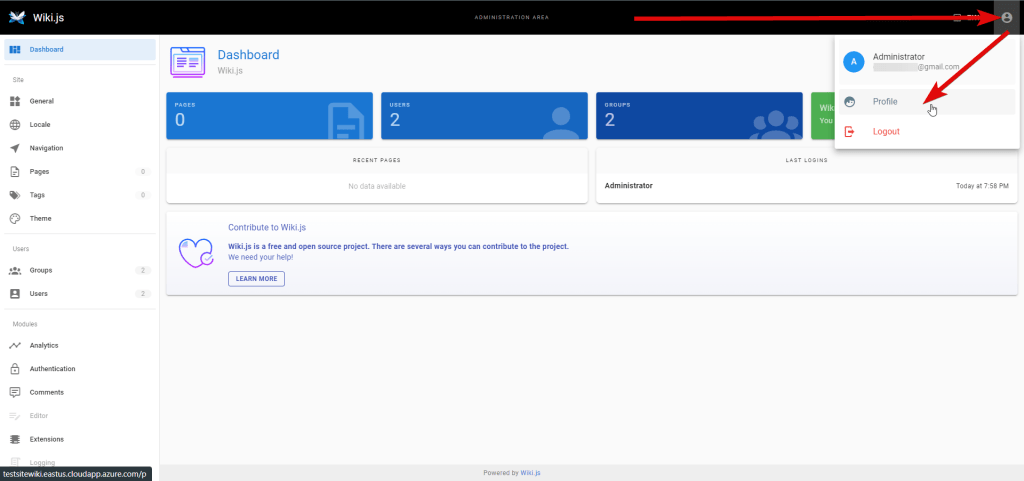
- Now you can create a new home page or configure your server by clicking ‘ADMINISTRATION’
- Here you can change your profile.
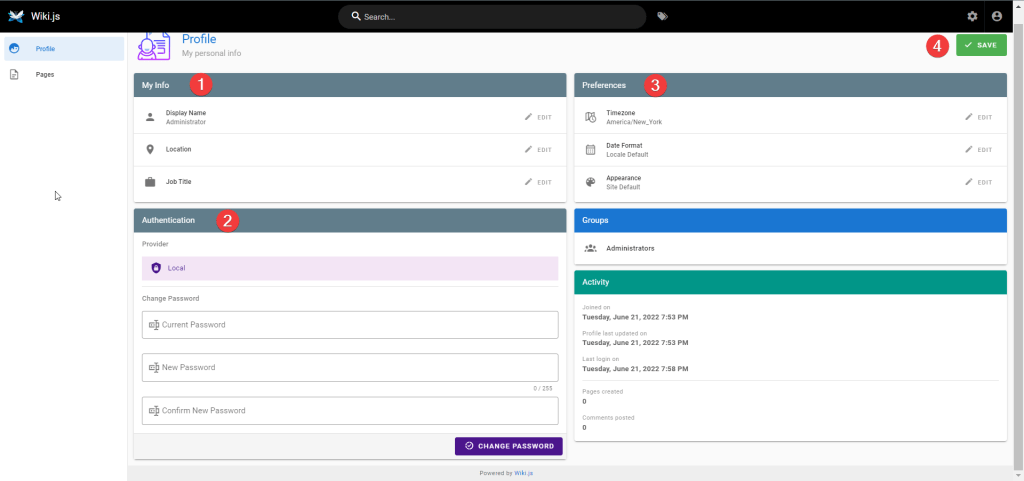
- Change your personal info (1), set a new password (2), enter preferences (3), and click ‘Save’ (4)
Now you can use your own Wiki.js on Ubuntu Server 22.04 LTS.
More information:
Wiki.js site – Wiki.js
Documentation – Introduction to Wiki.js

