Wiki Engine (Wiki.js-based) on Ubuntu 26.04 LTS provides a stable and scalable documentation platform built on the latest Ubuntu Long-Term Support release. It delivers a modern wiki environment optimized for collaborative knowledge sharing, structured documentation, and secure deployment across development, enterprise, and cloud infrastructures.
Configuration and Connection Wiki.js – Wiki Engine Server on Ubuntu 26.04 LTS
- To work, you should open ports 80 and 443 TCP in the network properties in the Azure firewall.
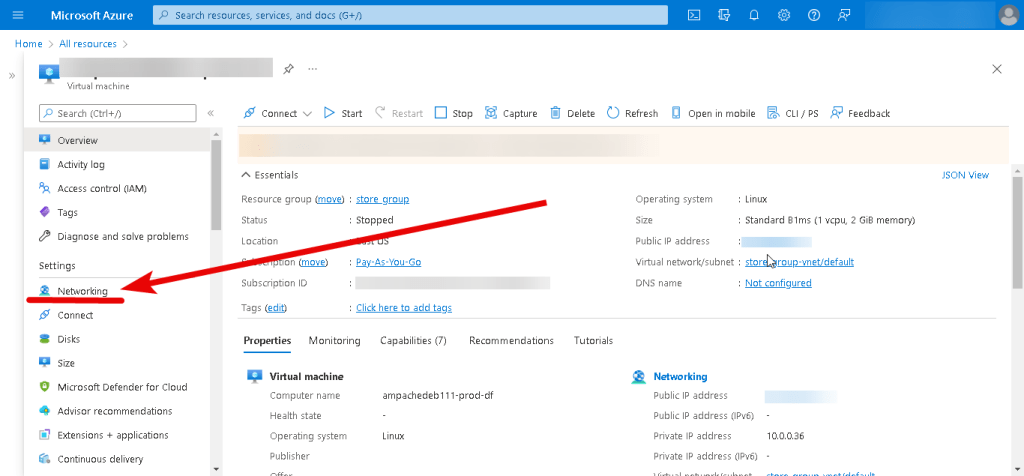
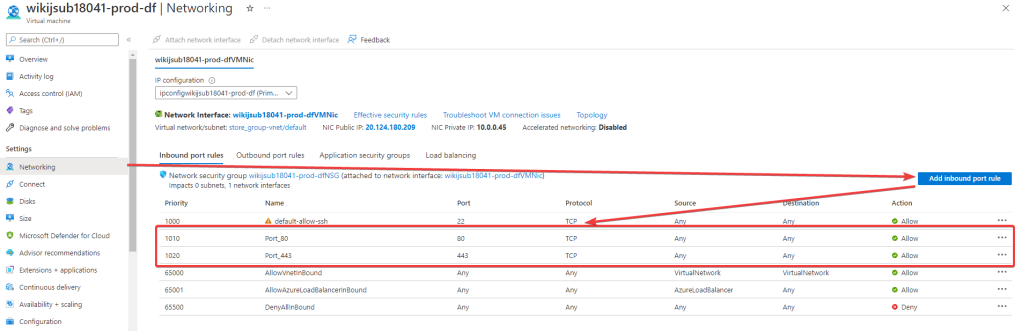
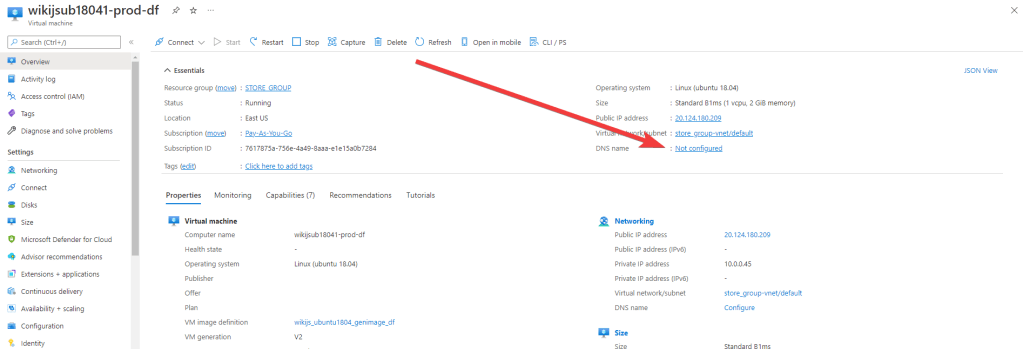
- Run the VM through Azure Portal. To customize the Wiki.js server, first, you need to create a Wili.js DNS name. Click the link
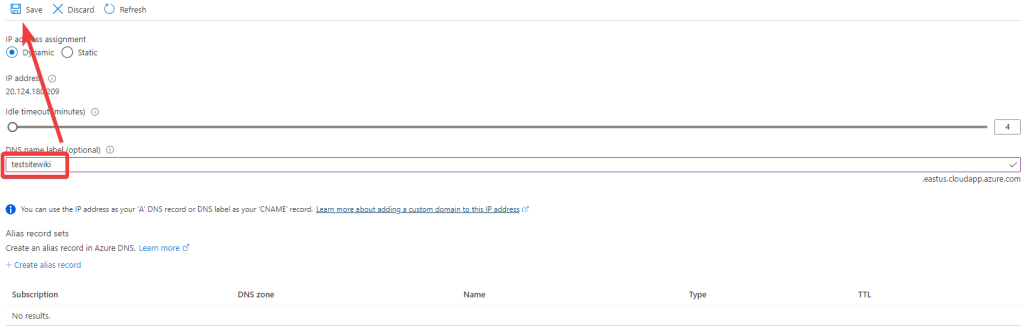
- Here you can create a new domain name or use an existing one.
- Now the VM has DNS name that is displayed in the ‘Overview’ tab
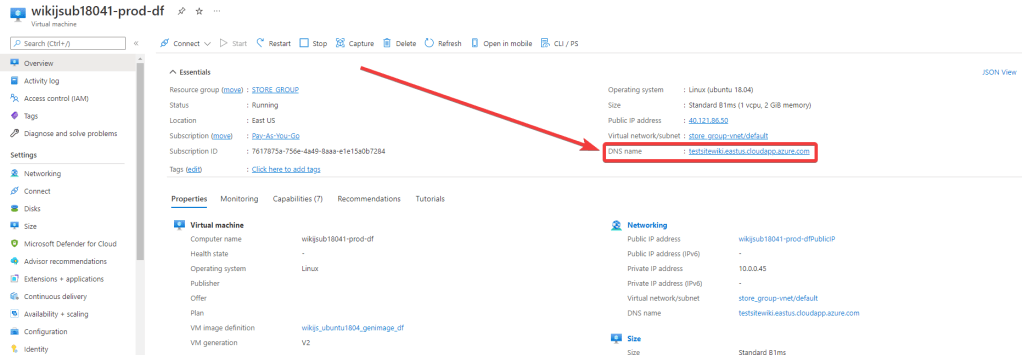
- After starting the VM you can go to the main page using the created DNS name
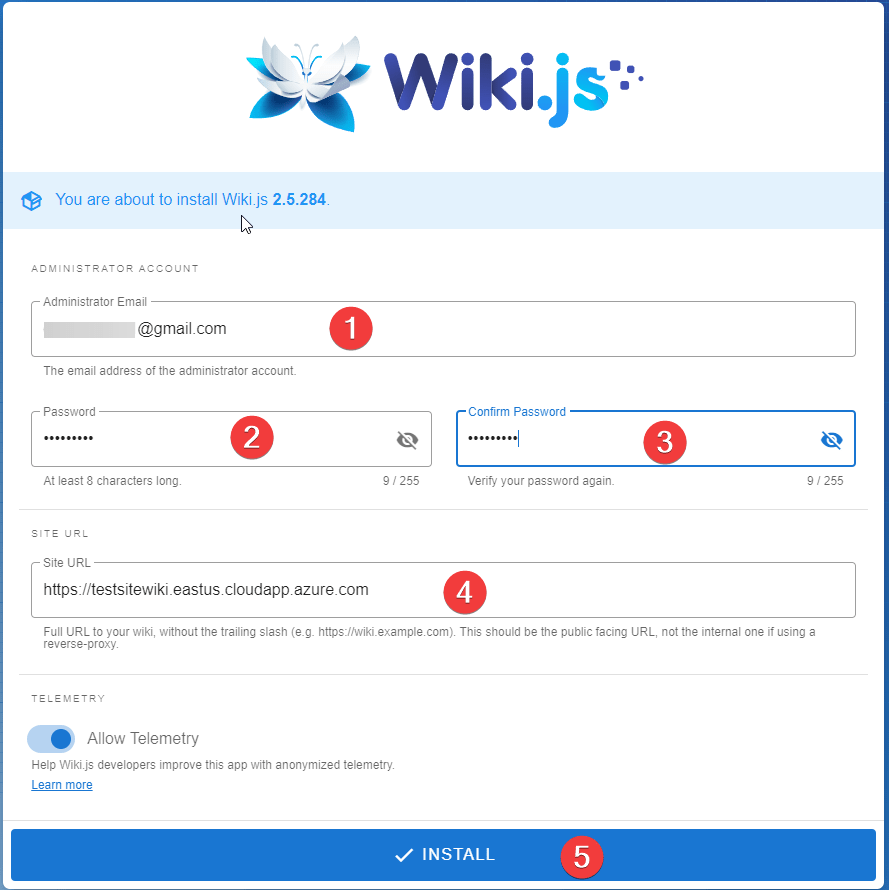
- The authorization page will open. Enter your email (1), password (2) and its confirmation (3), your VM DNS name (4) and click ‘Install’ (5)
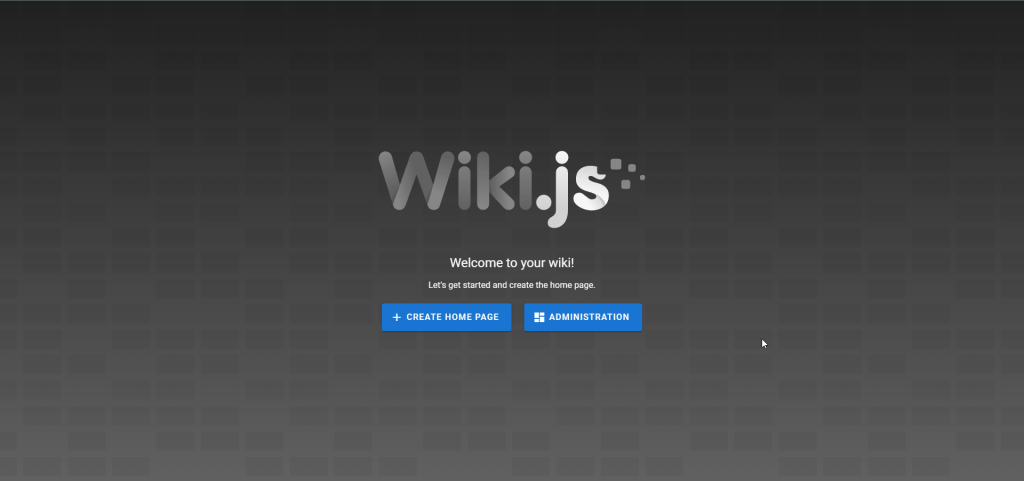
- Then log in as Wiki.js administrator using new credentials

- Now you can create a new home page or configure your server by clicking ‘ADMINISTRATION’
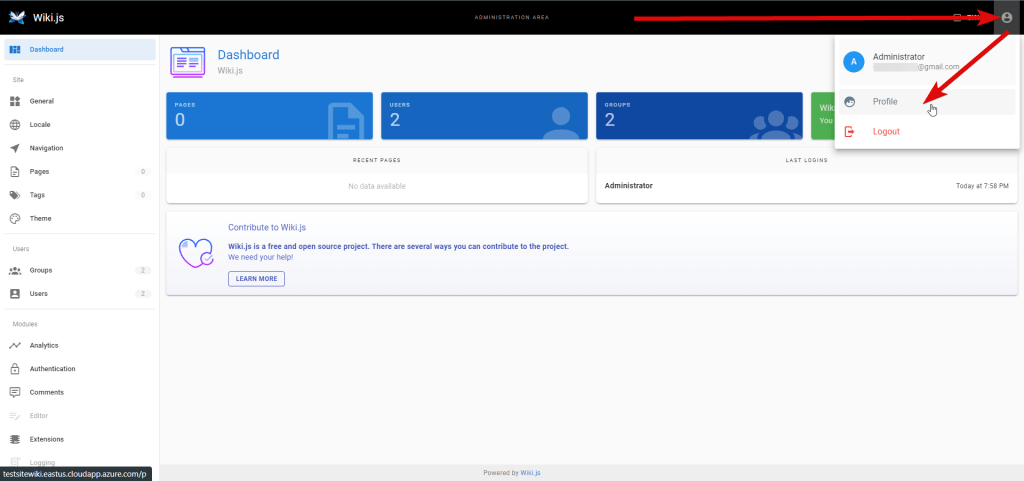
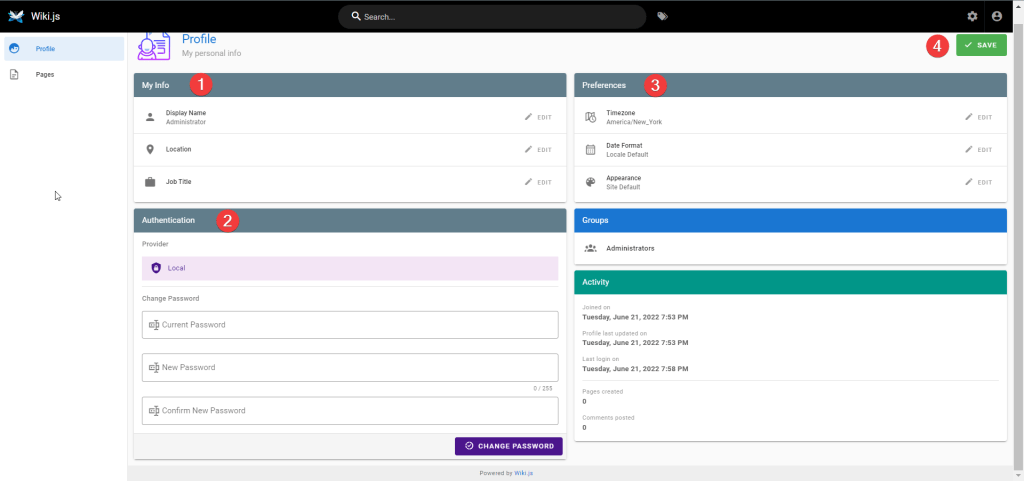
- Here you can change your profile
- Change your personal info (1), set a new password (2), enter preferences (3) and click ‘Save’ (4)
Now you can use your own Wiki Engine Server on Ubuntu 26.04 LTS.
More information:
Wiki.js site – Wiki.js
Documentation – Wiki.js

