This lightweight Linux 8.5 Minimal virtual machine offers essential features for lean, high-performance cloud instances. Perfect for customized deployments.

This is a quick deployment and ready-to-run image.
Simple and rapid installation. Easy to maintain.
The guide on how to work with the Centos 8.5 Minimal
- To work, you must open port 22 (TCP) in the network properties in the AWS firewall. After purchasing and starting the VM you should know its IP address. You can find it in the personal account of Azure. (You need to select the virtual machine from the list. By clicking the item “Overview”, your IP is displayed in the line of “Public IP Address”).

- To work with VM, you should connect to it via PuTTY (Download PuTTY)
Go to the home page of “Session”, enter the IP address of the VM
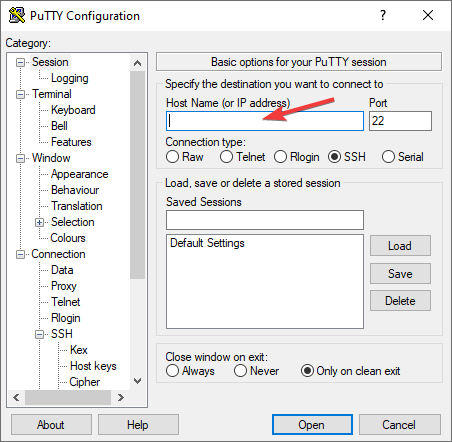
- Go to section SSH on the left panel, and then in Auth. In the Auth section, click Browse and specify the path to the .ppk file you received earlier.

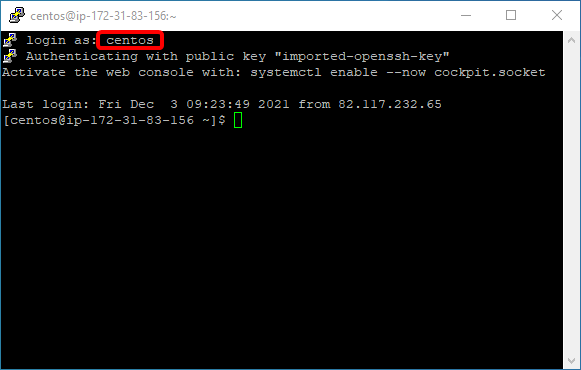
- In the console that opens, you must enter the standard login that appears when creating a virtual machine – centos.
The advantage of this OS is that it has been optimized for better performance.
 Tidal Media Inc. — Software for Windows & Cloud Solutions